
The N32 Ultipro login stands as a comprehensive employee portal, offering a wide array of tools and resources essential for modern workforce management. This portal is designed to streamline various HR processes, including payroll, scheduling, and personal information management, making it an indispensable tool for employees and employers alike.
Manage your Human Resources information using the UltiPro self-service portal at https://n32.ultipro.com login. UltiPro Employee Self Service Portal is accessible 24/7 in two ways – by computer and via the Ultipro mobile app:
What to Expect From N32 Ultipro Login
- View and edit your Employee Profile
- View Payroll History
- View and print current and historical pay
- Statements
- View Job Information
- View and Print W2’s
Mobile App Features
- View and edit your Employee Profile
- View and print current and historical pay
- Statements
- View and print current and historical pay
- Statements
The login credentials as well as instructions to access the system are provided below.
How to Access N32 Ultipro Login from Home
Accessing the N32 Ultipro login page requires navigating to the designated URL provided by your employer. Once you reach the site, you’ll encounter the login interface, where you can enter your credentials. It’s important to use the correct URL to avoid any security issues.
The following instructions will assist the user with successfully logging in to their n32 ultipro login from Day 1:
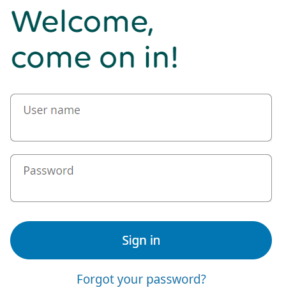
- Username: Your username is your last name, first
- initial, and your employee ID number.
- Ex: SmithB12345
- Default password: your date of birth.
- Ex: MMDDYYYY
- Click the Log In button
How to Change Your Ultipro N32 Password
You will immediately be taken to the Change section upon logging in to your Ultipro account
The password screen appears and asks you to change your default password. Ensure that your new password is between 8 and 50 characters in length and meets the requirements.
Please note: When you change your password for the first time, the default password will be your date of birth (MMDDDYYYY).